This article kicks off our three-part series on employee time tracking. Part 2 explores the benefits of tracking work hours with a smartphone, while Part 3 looks at how businesses can maintain reliable records, make corrections and put their time tracking data to good use.
Recording hours is already required. Digital time tracking may be next.
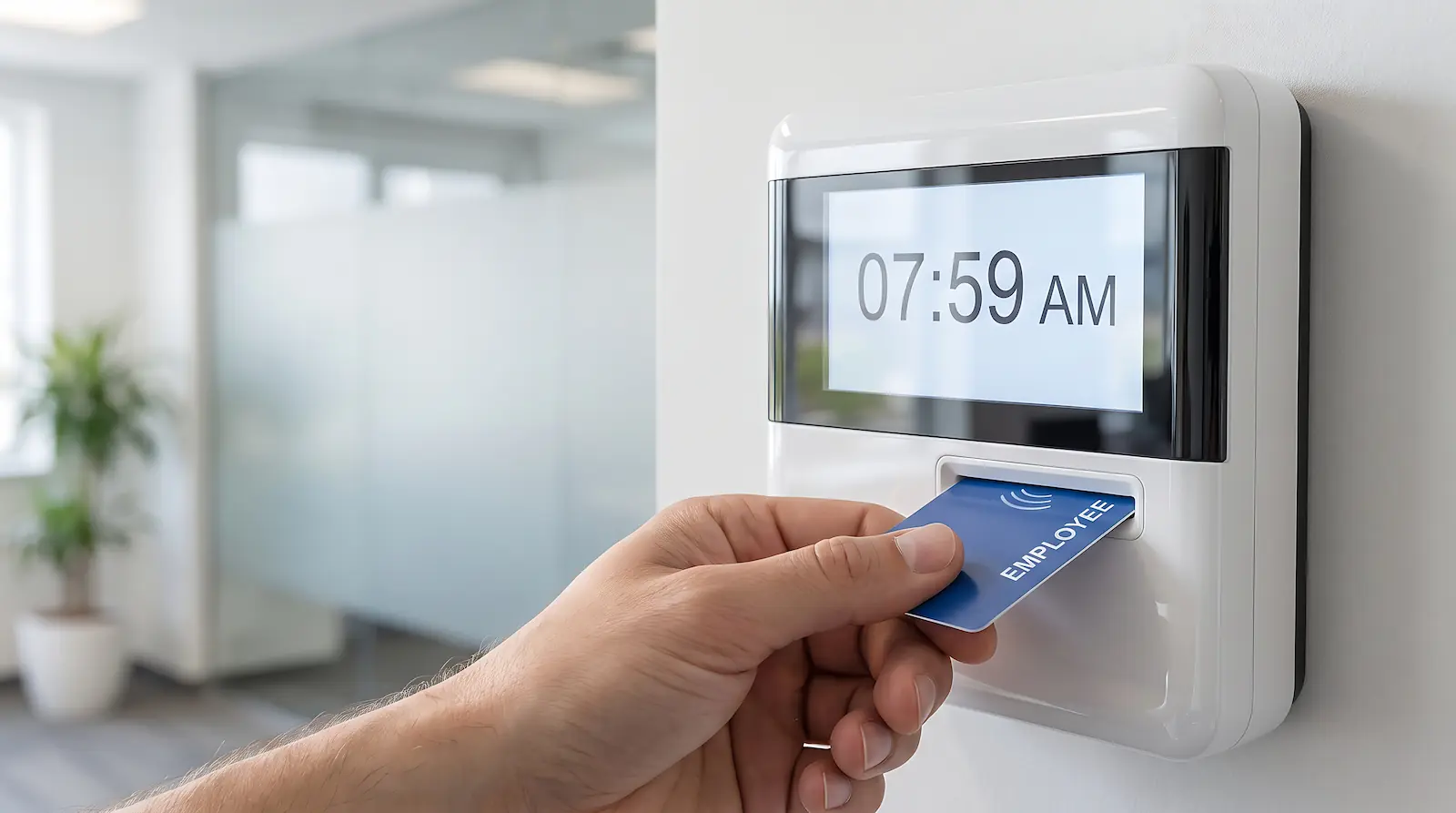 Across the European Union, employers are expected to keep reliable records of their employees' working hours. In a landmark 2019 ruling, the European Court of Justice established that EU Member States must require employers to introduce an objective, reliable and accessible system for measuring daily working time. How individual countries put that requirement into practice, however, is largely up to them.
Germany offers a good example of how these rules are evolving. The German government plans to make electronic time tracking a legal requirement, with transitional arrangements for small and medium-sized businesses. While no implementation date has been announced, the underlying obligation to record working hours is already in place. In Germany, even businesses with just one employee must comply.
Yet not every business has caught up. According to a German workplace survey, 18% of employees reported in 2023 that, as far as they knew, their working hours weren't being recorded at all.
What exactly needs to be recorded?
Recording overtime alone isn't enough. Employers must record when employees start and finish their day, along with the total hours worked. This is central to the European Court of Justice's 2019 ruling, which calls for a system capable of measuring each employee's daily working time.
Flexible working arrangements don't change that principle. Employees can still manage their own schedules and record their own hours, provided the arrangement meets applicable national requirements. The employer remains responsible for ensuring that the time tracking system works reliably in practice.
Are paper records still good enough?
Paper records aren't automatically ruled out. EU law doesn't impose a blanket requirement for electronic time tracking, and national rules differ. Germany's Federal Labour Court, for example, has explicitly acknowledged that paper-based records may be appropriate, depending on the business and the nature of the work.
But there's a difference between allowing employees to write down their hours and having a reliable system for tracking working time. Simply collecting handwritten records and filing them away isn't enough. Employers must be able to verify when and how long their employees actually worked.
 And then there's the administrative overhead. Someone has to collect the records, check the entries and follow up on missing information. Reviewing several weeks of working hours, or comparing records across an entire team, means bringing all those individual entries together, often by entering them into another system.
Why spend time collecting and processing handwritten records when employees could record their hours digitally from the start? And with countries such as Germany moving towards mandatory electronic time tracking, why wait until the law forces the issue? Switching now eliminates unnecessary paperwork and puts a reliable system in place well ahead of any new requirements.
From paper timesheets to digital time tracking
When people think of digital time tracking, a smartphone app is often the first thing that comes to mind. And for good reason: employees can clock in and out directly at their job site, even if they start the morning at a customer's premises and finish somewhere else. They can also check their own recorded hours in the app at any time.
Smartphones are particularly useful when businesses need to know not just when someone worked, but which job they were working on. Employees can add job numbers, cost centres or details of the tasks performed as they clock in and out. This automatically links their hours to the right job, with the information ready for invoicing later on. We'll explore how this works in practice in Part 2 of this series.
Dedicated clock-in terminals are a practical alternative wherever smartphones aren't suitable or preferred. Typically installed in company vehicles, these devices can also be set up at temporary construction sites or other job locations, or permanently mounted in workshops and office entrances. Businesses can choose whichever location best fits their daily operations.
Smartphone apps and clock-in terminals can be used independently or together. The same employee might clock in at a terminal in a company vehicle one day and use the smartphone app at a customer's premises the next. Both methods feed into the same time tracking system, offering businesses greater flexibility while providing a complete overview of their employees' hours.
Tracking work hours at a clock-in point
Using a clock-in point couldn't be easier. Employees simply touch their personal iButton to the reader when they start their shift and repeat the process when they finish. A coloured indicator provides instant confirmation: green for clocking in, red for clocking out. Breaks can be recorded just as easily by clocking out at the start and back in when the break ends.
 Built to last, designed for reliable records
The iButton is a small electronic identification token housed in a rugged metal casing. It fits conveniently on a keyring, keeping it close at hand and making it well suited to everyday use in the field, whether in company vehicles, workshops or on construction sites.
One particular advantage is its strong resistance to tampering. Each iButton carries a globally unique identifier assigned during manufacturing. Duplicating a specific token requires specialised knowledge and equipment, adding an extra layer of security beyond that already provided by smartphone apps and other comparable time tracking systems.
Because every clock-in is tied to a uniquely identifiable physical token, the system provides an additional safeguard for the reliability and evidential value of employee time records.
 Clock-in points for vehicles, construction sites and workplaces
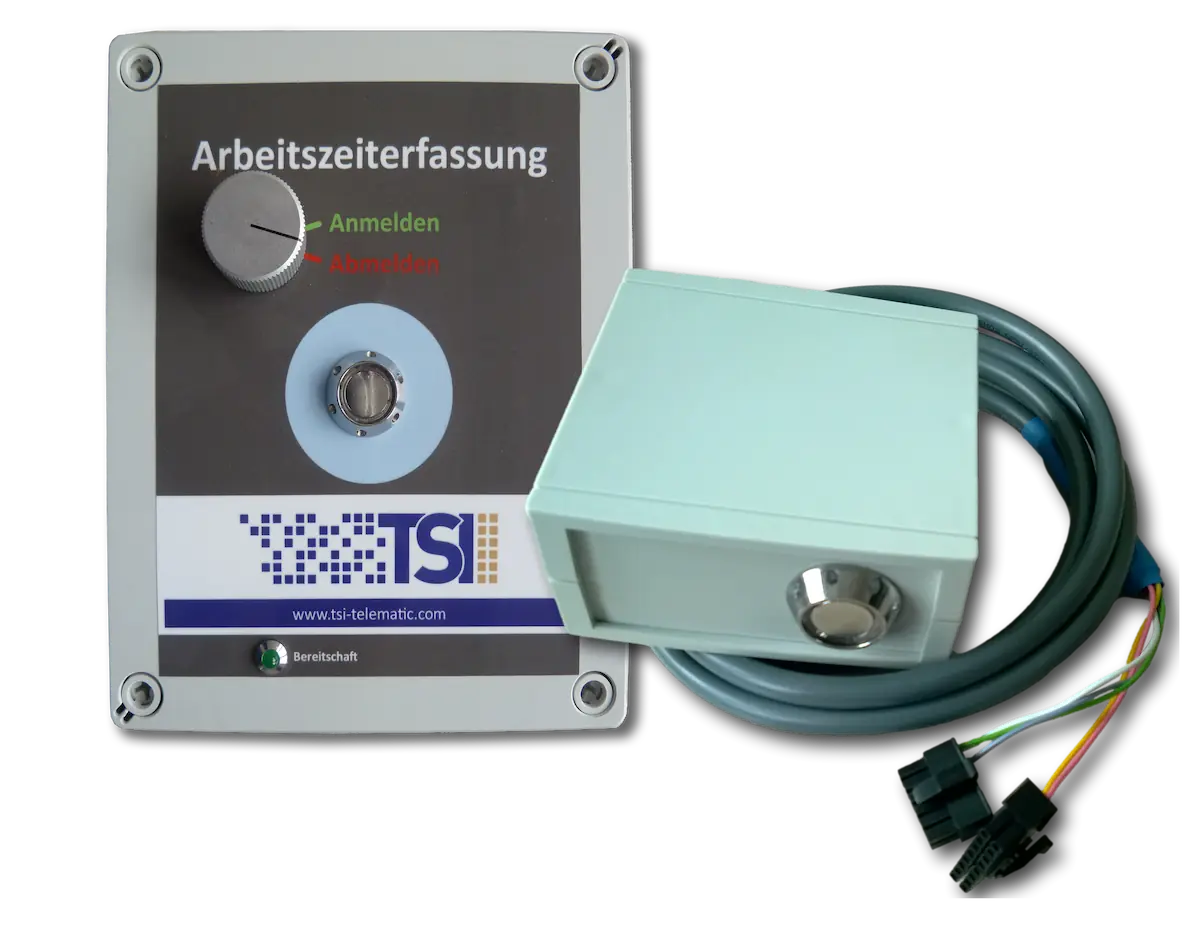
Whether employees are on the road or at a fixed location, there's a clock-in point to suit the job. Vehicle-mounted units let teams record their hours as they head out for the day. For temporary construction sites, a battery-powered portable unit offers flexibility without the need for an external power supply. And for workshops, offices and other permanent locations, fixed installations provide a convenient solution.
Even without mobile network coverage, time tracking continues uninterrupted. Every clock-in and clock-out is stored locally on the device and automatically transmitted as soon as the connection is restored.
Beyond clocking in: Location and work categories
Every clock-in and clock-out also captures the employee's location. This allows the system to automatically link recorded hours to the corresponding job or cost centre, based on where the employee is working. No extra steps are needed, and the information flows straight into reports and business records, ready for further use.
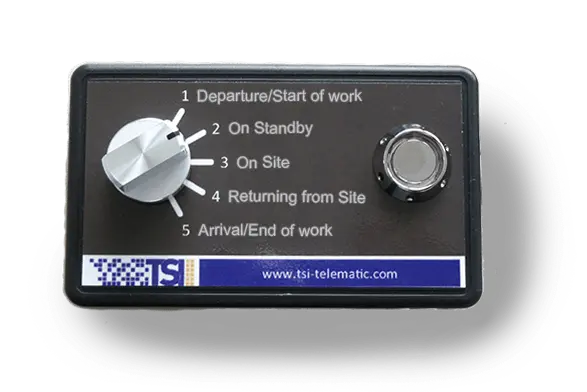 For businesses that need to distinguish between different activities, an alternative clock-in point with a selector switch offers even more flexibility. Employees choose from work categories tailored to the business, such as travel time, on-site work or standby duty, and then clock in with their iButton as usual.
The benefits go beyond time tracking. For example, a business using a standby duty category can immediately see who's currently available when an urgent job comes in, allowing dispatchers to assign it without delay.
The system timestamps every change of status, making it easy to see exactly how much time employees spend on each activity. These details feed automatically into reports and support both payroll processing and customer invoicing.
Finding the right fit for your business
A good time tracking system should fit the way your business operates, not the other way around. If employees typically start and finish their day at a company vehicle, workshop or office entrance, a clock-in point fits naturally into their daily routine.
But not every day starts in the same place. Employees who travel directly to customers or move between job sites can just as easily track their hours using a smartphone, adding details such as job numbers along the way. We'll take a closer look at what a smartphone app offers in the next article: Tracking Work Hours by Smartphone: Simple and Convenient (Part 2).
And what happens once those hours have been recorded? Part 3 explores how to maintain reliable time records, make corrections while preserving a clear history of changes, and turn the data into useful reports for payroll and invoicing: Managing Work Hours: Records, Corrections and Reports (Part 3).


 Deutsch